

Prerequisites
To compare experiments, you will need:- A project containing two or more experiments, created either using playgrounds, or in code.
Compare experiments
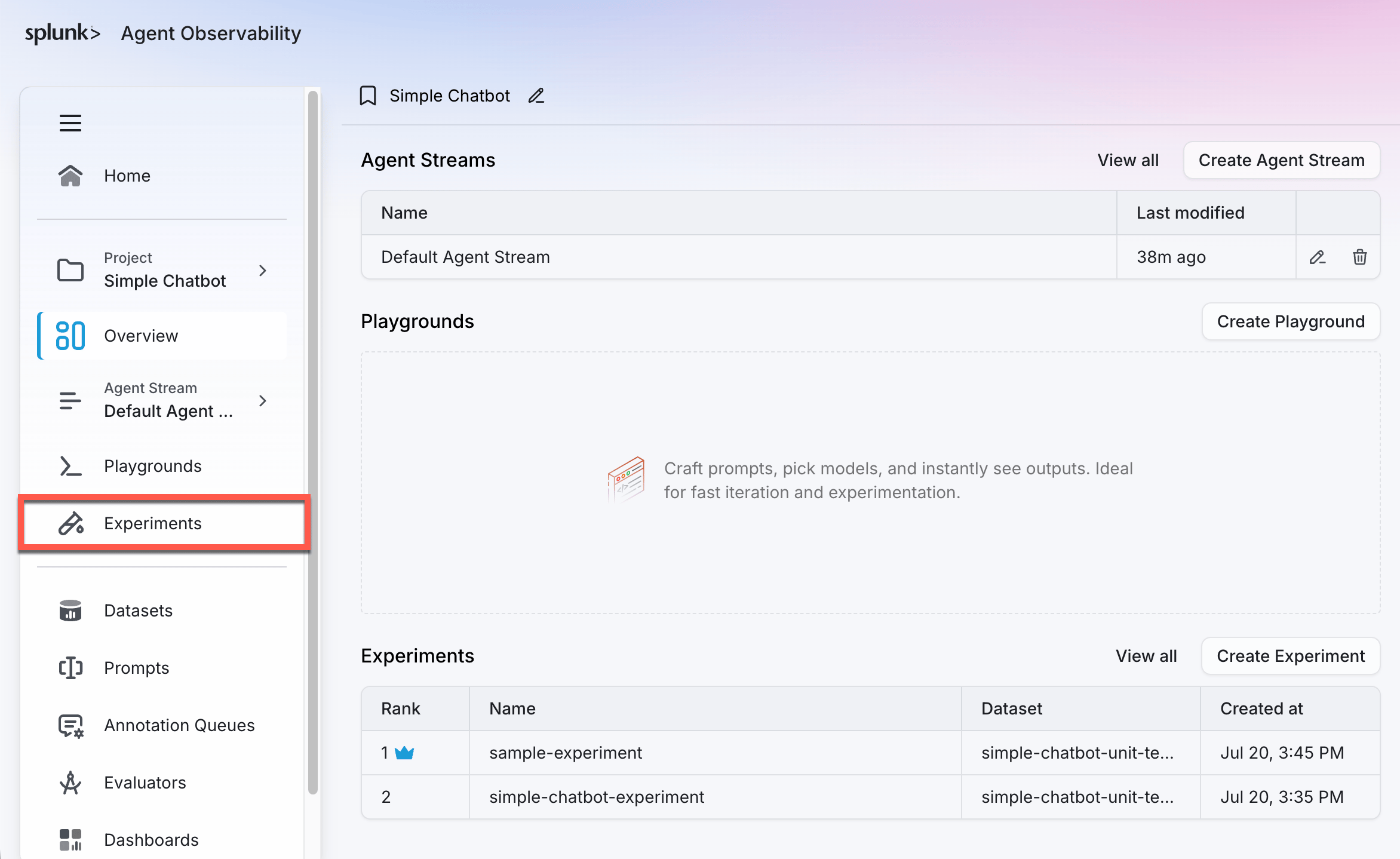
Experiments can be compared from the Experiments page in the Splunk Agent Observability UI. Experiments are part of a project, so select the relevant project and then select the Experiments page.-
Use the main menu to select your project. Then, select Experiments.
-
Select the experiments you want to compare by checking the box next to each experiment. Select between two and five experiments.
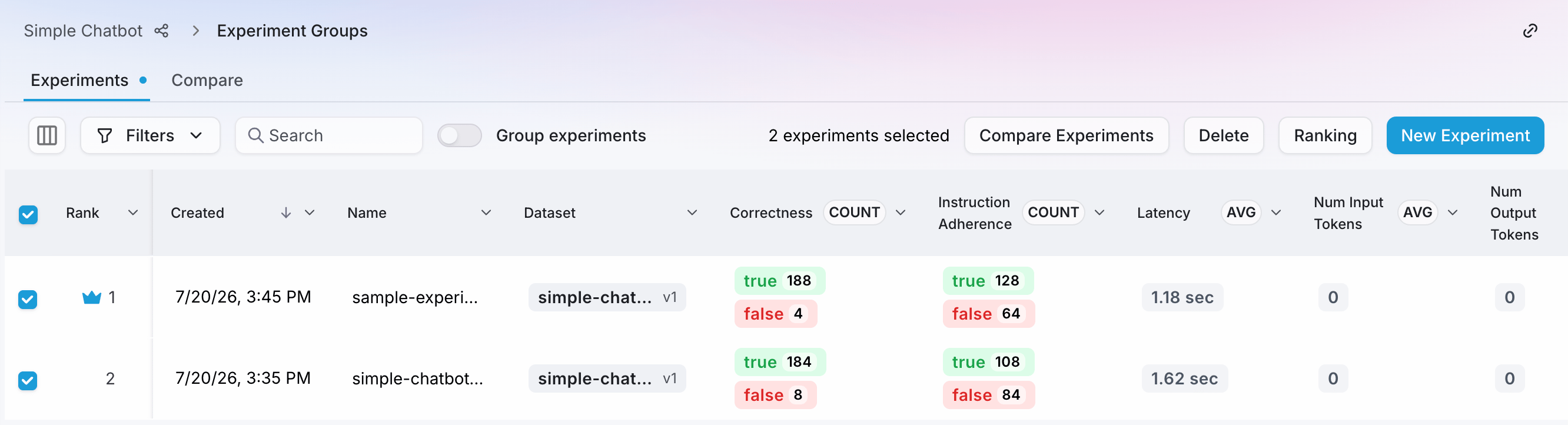
- Select the Compare experiments button to open the comparison page
-
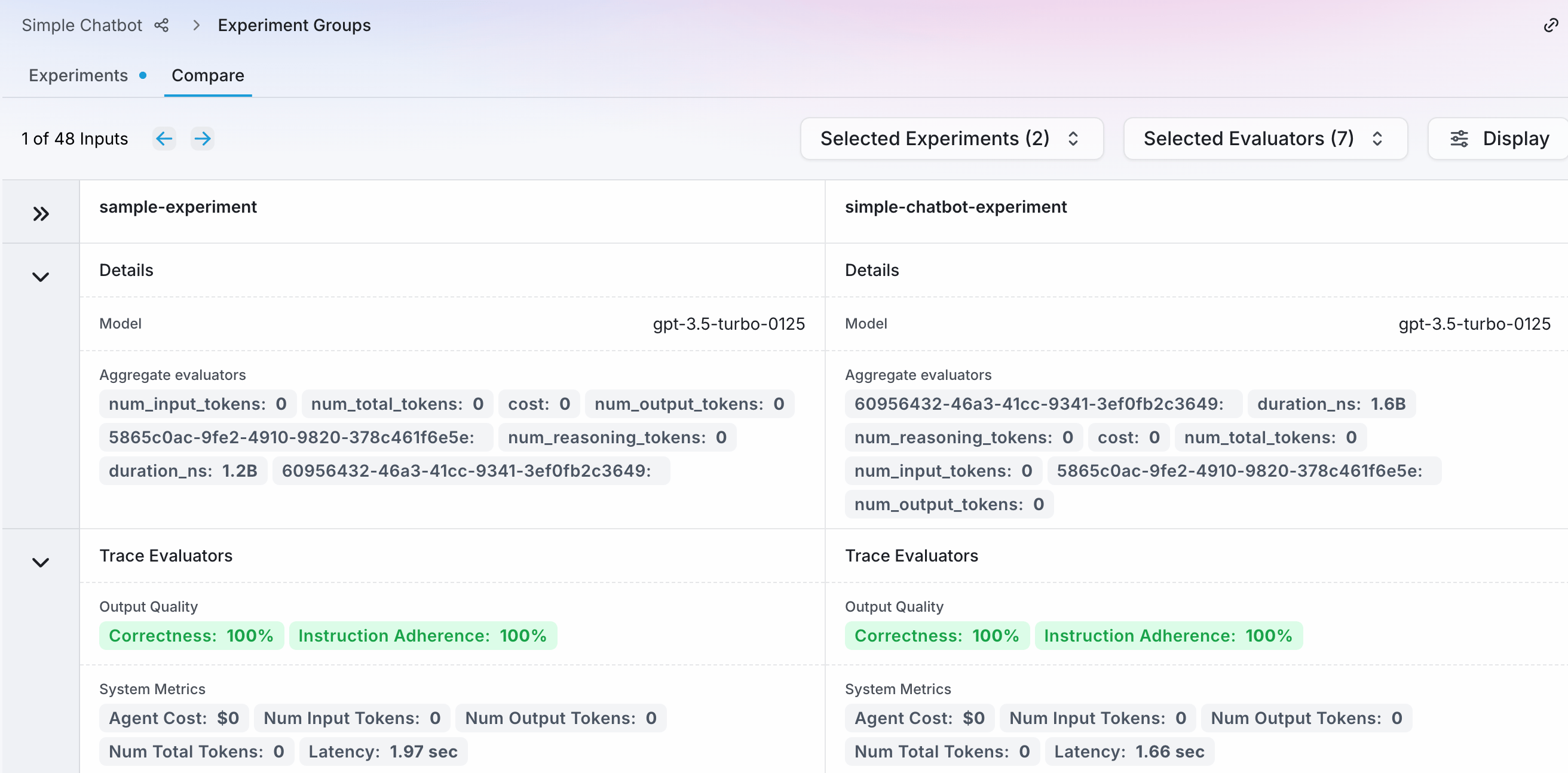
You will see the experiments side by side in the comparison page.
Review the comparison
The comparison shows each experiment’s evaluators, inputs, and outputs.-
If your experiment has multiple inputs, you can navigate between inputs using the forward and backwards buttons. Your experiment inputs should align by position - for example if you have two inputs in each, the comparison is based on input one from experiment one being compared to input one from experiment two, and so on.
All the experiments in the comparison should have the same number of inputs. If they do not, you will only be able to navigate based off of the experiment with the least inputs.
- The Details section shows the model used, and averages and totals for both the cost of each response and generating the evaluators, as well as averages for the evaluators. Averages are calculated for experiments with multiple inputs.
- The Trace Evaluators section shows the evaluators for the currently selected input. These evaluators include system evaluators (latency, the number of input and output tokens), and the selected evaluators for the experiment.
- The Input and Output sections show the input to the experiment, and the output generated by the LLM.