

Run an experiment with the UI
- On-premises
- SaaS
1
Select a project
In the Splunk Agent Observability UI, use the main menu to hover over Project. Select a project from the list.
2
Create an experiment
In the Experiments section, select Create Experiment to add an experiment to a project. You can use a sample dataset and sample prompt to create your first experiment.If you don’t already have an integration (e.g. with OpenAI), a Configure integration link appears for you to add a valid integration for a prompt.
3
View the results of an experiment
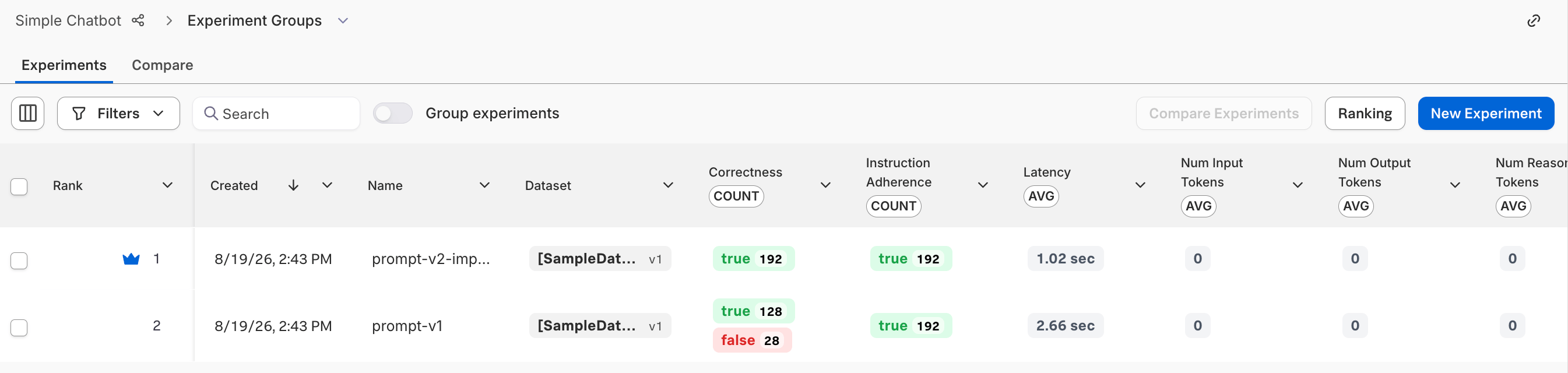
After successfully creating an experiment, you can view the results from the Experiments page of a Splunk Agent Observability project. You can use this page to view, compare, or drill down to experiment results.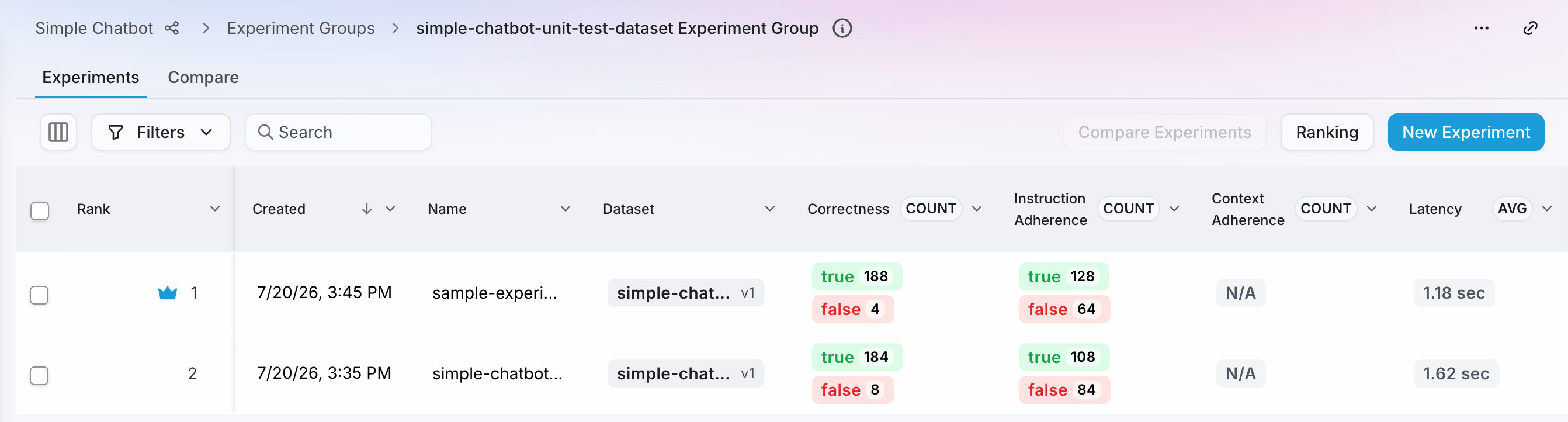
Run an experiment with code
Prerequisite: Configure an LLM integration
To run an experiment using a prompt and a dataset, you need to set up an LLM integration. An integration is also required to evaluate LLM outputs with evaluators.- On-premises
- SaaS
1
Navigate to the Integrations page
In the Splunk Agent Observability UI, select your user profile in the upper-right corner and then select Integrations.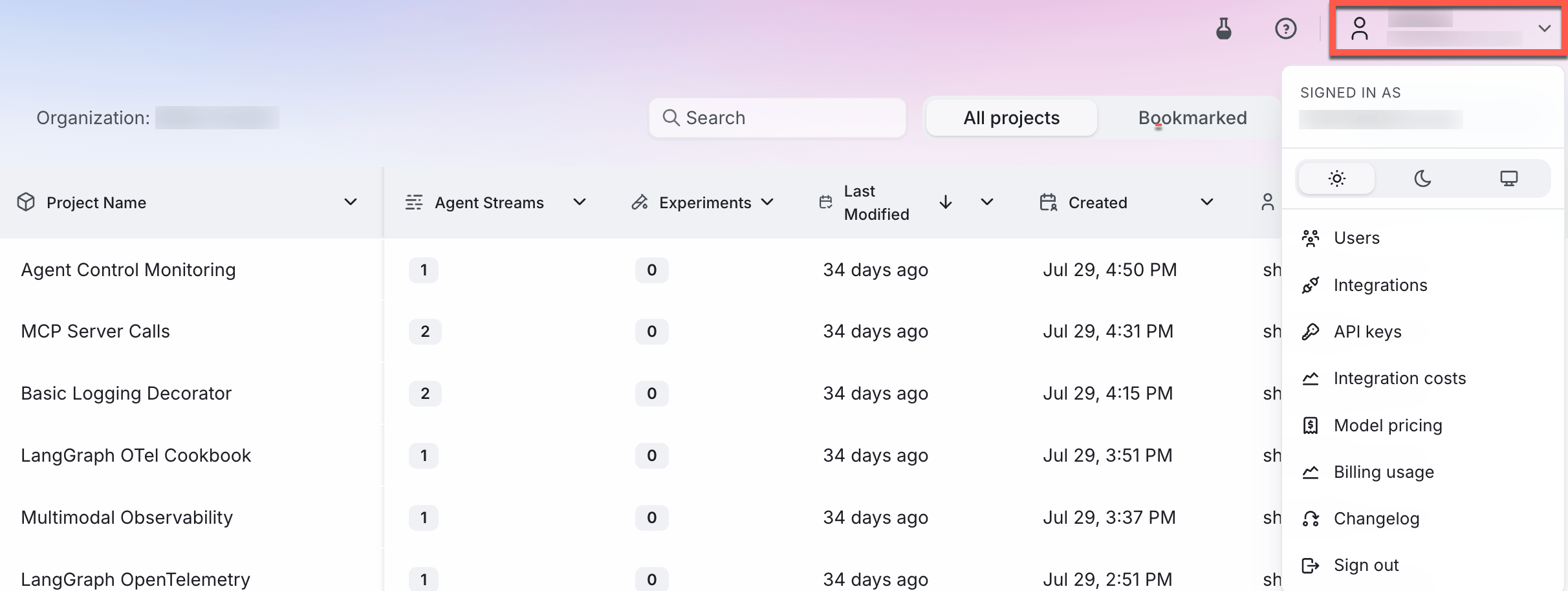
2
Add an integration
Locate the provider you are using or specify a custom integration. Select the +Add Integration button.
3
Add settings
Specify settings for your integration (such as an API key), then select Save changes.
Example experiment with code
Below is a step-by-step guide. Jump to the application code.1
Install dependencies
Install the Splunk Agent Observability SDK, and the dotenv package using the following command in your terminal:
2
Set up your environment variables
- On-premises
- SaaS
Create an
.env file in your project folder, and set:- Your Splunk Agent Observability API key
- Your Splunk Agent Observability Console URL
- Your Splunk Agent Observability project name
.env
3
Create your application code
Create a file called This code creates a prompt containing a system prompt and user prompt, and the user prompt has a mustache template to inject rows from the dataset. It also creates a dataset.It then uses these to run an experiment, measuring context adherence.If the prompt or dataset already exist, they are loaded instead of being recreated.
app.py (Python) and add the following code:This code defaults to using
gpt-5-mini. If you want to use a different model, update the model_alias in the prompt settings passed to the call to run experiment.4
Run your application
Run your application using the following command in your terminal:
5
View the results in your terminal
6
See the experiment in Splunk Agent Observability
- On-premises
- SaaS
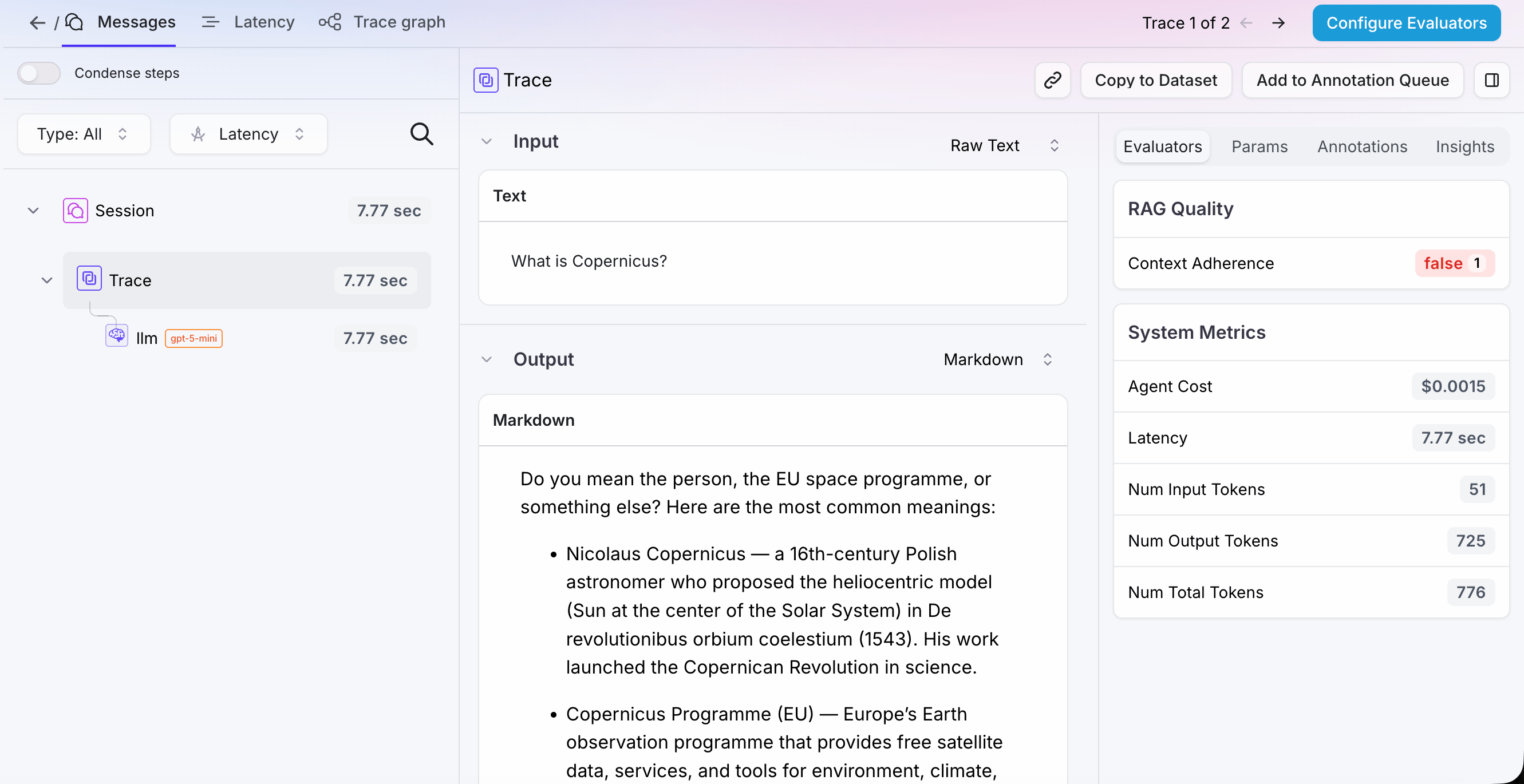
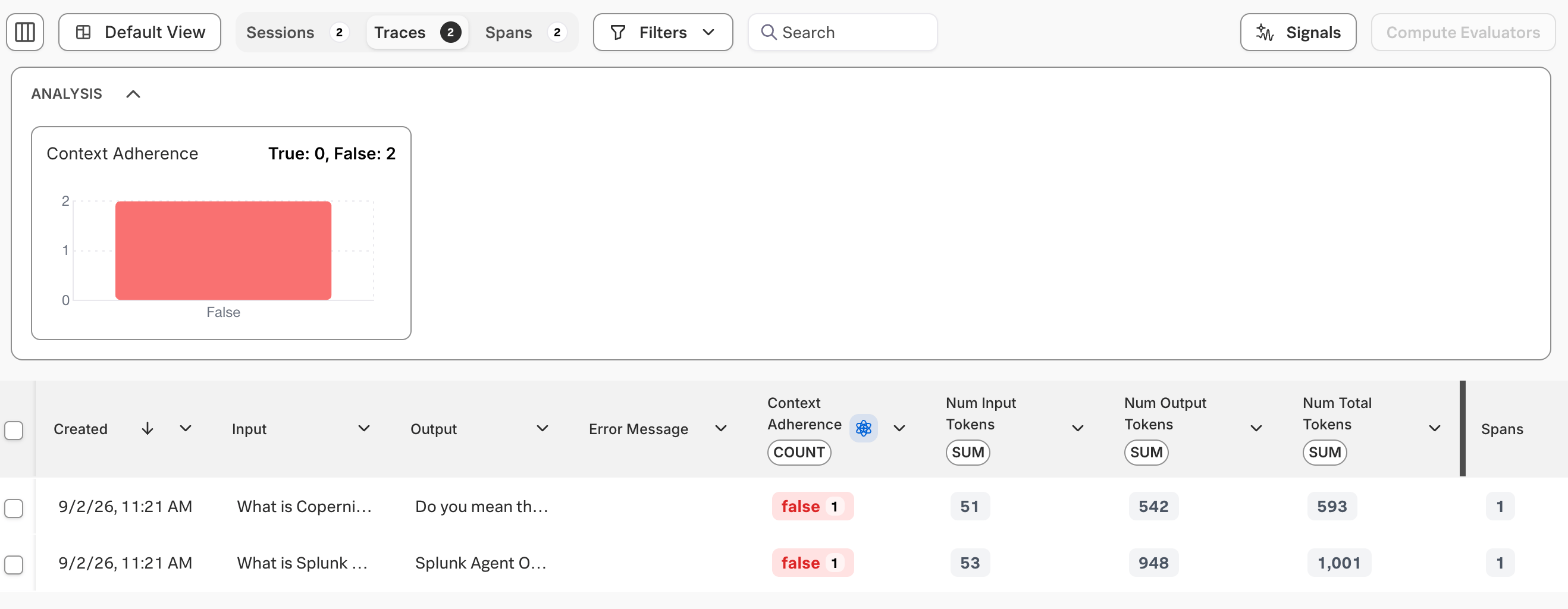
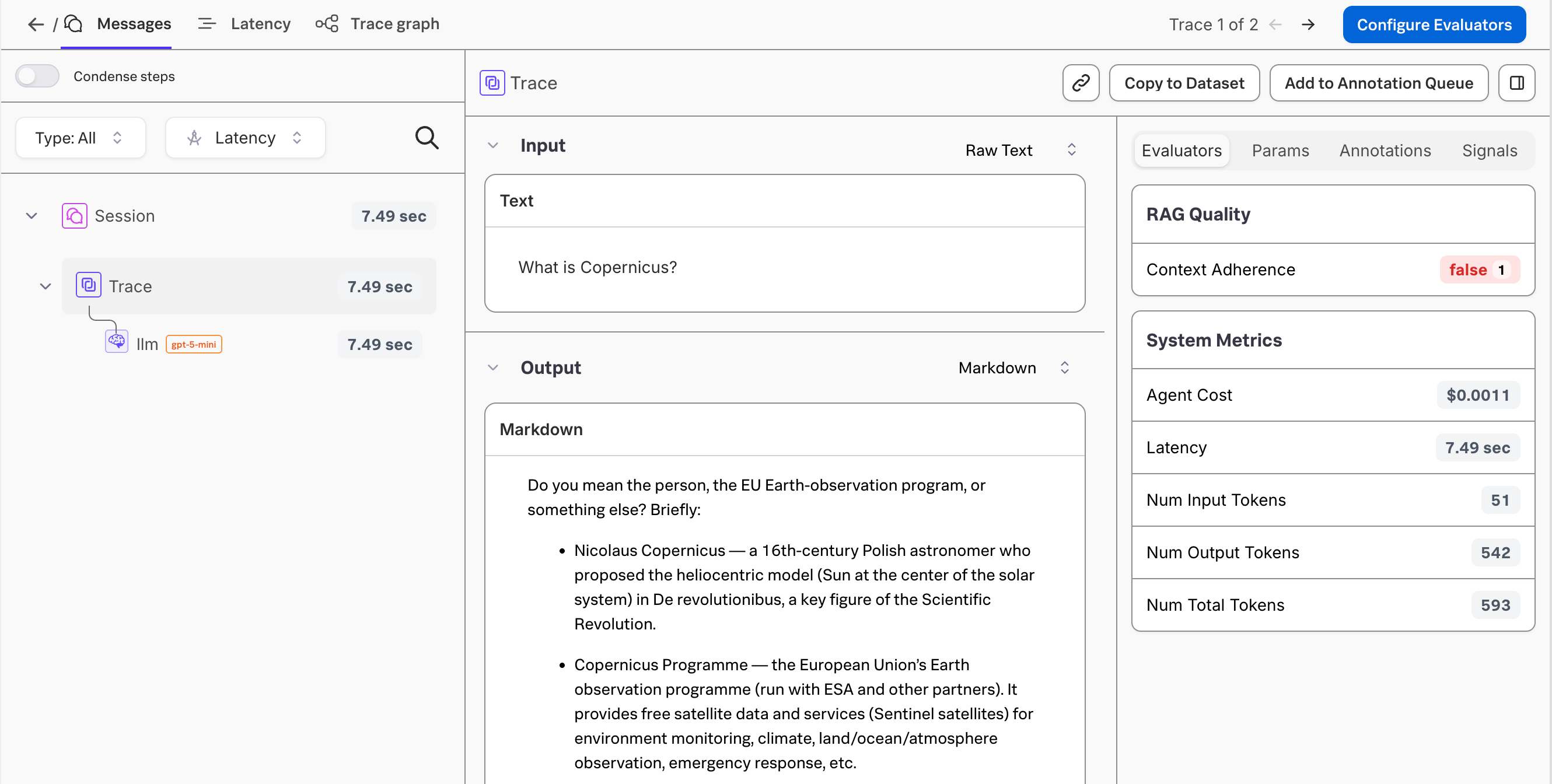
Open the experiment in the Splunk Agent Observability UI using the URL output to your terminal. You will see the logged experiment with 2 rows, one for each entry in the dataset.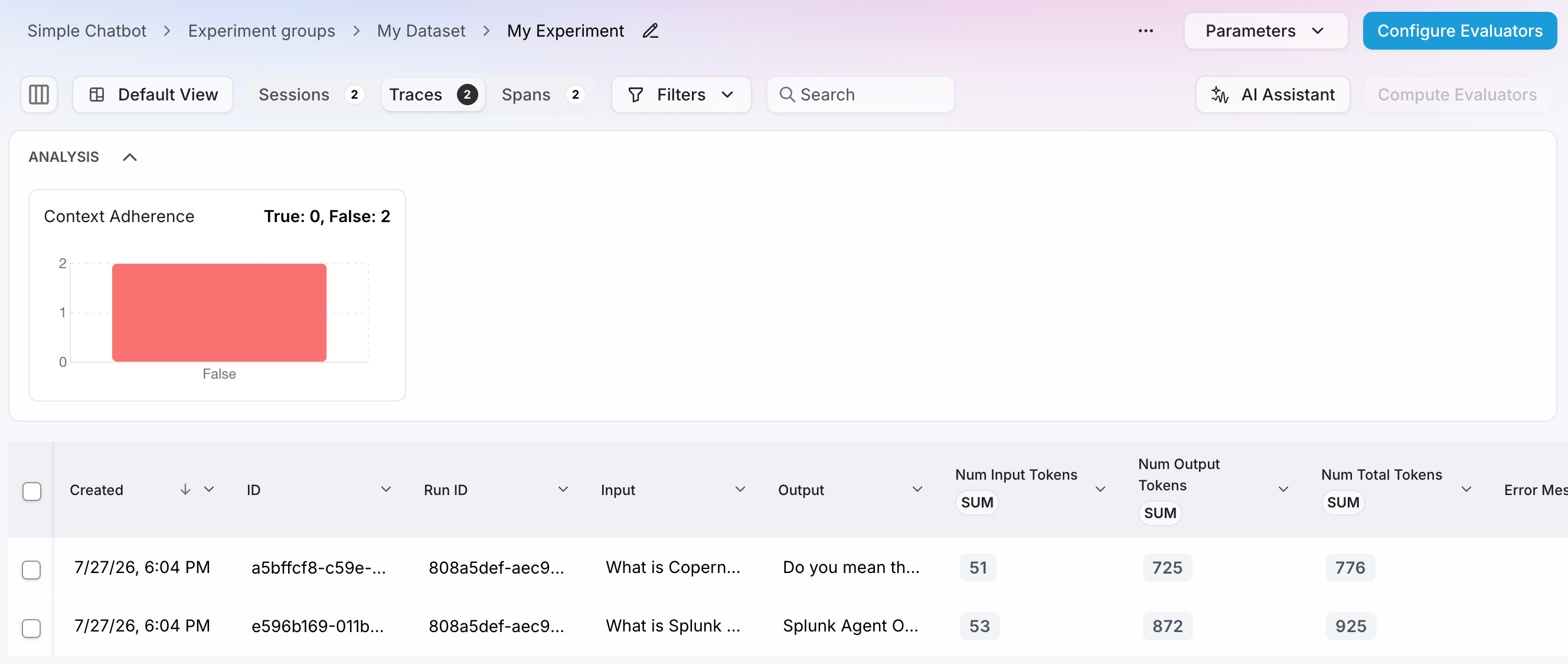
Troubleshooting
- I need a Splunk Agent Observability API key: Navigate to your Splunk Agent Observability homepage and sign up. Then head to the API keys page to get a new API key.
- What’s my project name ?: The project name was set when you created a new project. If you haven’t created a new project, head to Splunk Agent Observability and select the New Project button.
Next steps
Create a dataset
Learn how to create and manage datasets in Splunk Agent Observability.
Run experiments in playgrounds
Learn about running experiments in the Splunk Agent Observability UI using playgrounds and datasets.
Run experiments with code
Learn how to run experiments in Splunk Agent Observability.
Compare experiments
Learn how to compare experiments in Splunk Agent Observability.