

Configure evaluators for an Agent Stream
Configure evaluators through the UI
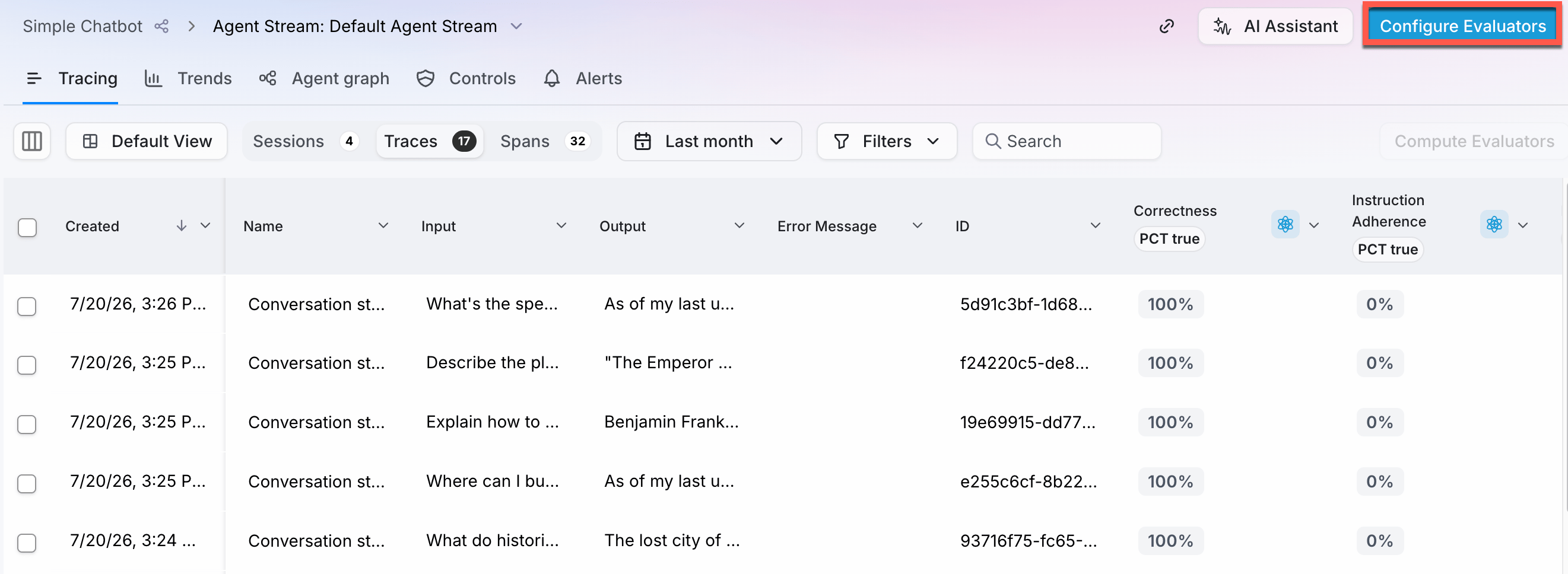
To configure evaluators, open your Agent Stream and select the Configure Evaluators button.You will need at least one session in your Agent Stream to be able to configure evaluators.
Configure evaluators in code
You can also configure evaluators for an Agent Stream using the Splunk Agent Observability SDKs.MyProject to your project name, and MyAgentStream to your Agent Stream name. You can then pass in either the relevant evaluator enum, or the name of a custom evaluator.
This function will enable just the evaluators specified for the Agent Stream. If you have any other evaluators enabled before calling this function, they will be disabled.
Evaluator sampling
Every evaluation interacts with an LLM or decision model (unless you are only using custom code-based evaluators), and therefore has an associated cost. When your application is in development you will probably want to evaluate every trace that is captured, but once your application is in production and is scaling to hundreds, thousands, or even millions of users you most likely want to reduce your evaluation costs by only evaluating a small sample of the traces that are captured. You can configure evaluator sampling at an Agent Stream level. To configure evaluator sampling rate rules, select the Evaluator sampling button from the Configure evaluators pane. From here you can configure the evaluator sampling rates. These rates can be applied to all evaluators (including custom code evaluators and Luna evaluators), or specific evaluators. Set the sampling rate you want, then select the Save button.When you configure the sample rates, all traces are captured and visible in Splunk Agent Observability, but evaluators will only be evaluated for those traces based off the sample rates.For example, if you set the sampling to 10% and create 100 traces, then all 100 traces will be visible in Splunk Agent Observability, with evaluators measured for just 10 of them.
Evaluator sampling rates
The most basic way to set sampling rates is by a percentage for all incoming logs. When you set a percentage, all traces are stored and available in Splunk Agent Observability, but only that percentage of traces will be evaluated. A trace is either evaluated for all configured evaluators, or not evaluated. You can configure sampling at a more granular level by adding additional rules based off metadata set at a trace level. For example, if you are onboarding a new customer and want to evaluate all of their logs during the onboarding process, you can add the customer name to your metadata, and set a rule to evaluate 100% of traces that have that customer name in their metadata. This metadata is set when you start a trace with the Splunk Agent Observability logger.Evaluator filters
Sometimes evaluators only make sense for certain spans. For example, if you have a custom evaluator for verifying the final response to a user from a multi-agent system with multiple LLM spans, you might only want to calculate the evaluator on the final LLM span that summarizes the results from all the agents. You can filter the spans that an evaluator is calculated for, based off the span name or span metadata. Evaluator filtering is configured at the project level, with filtering applying to all Agent Streams in a project. To configure evaluator filters, select Apply filter from the actions (…) menu for the evaluator you want to filter on the Configure evaluators pane. Use the Add Condition button to add a condition based off a span name, or span metadata for the span type that the evaluator measures.- For metadata, set the field, the comparison operator, and the value
- For the span name, set the comparison operator and the value
Next steps
Evaluators Overview
Explore Splunk Agent Observability’s comprehensive evaluators framework for evaluating and improving AI system performance across multiple dimensions.
Custom LLM-as-a-Judge Evaluators
Learn how to create evaluators using LLMs to judge the quality of responses.
Custom Code-Based Evaluators
Learn how to create, register, and use custom evaluators to evaluate your LLM applications.