

- Inspect the exact media your model received or generated, not a text summary of it
- Evaluate inputs and outputs using multimodal LLM-as-a-judge evaluators
- Replay and debug issues that would be invisible in a transcript alone
Choose a logging method
Option 1: Log an external URL
UseDataContentBlock with the url field. No encoding required.
Python
Option 2: Upload local files
Encode local files as base64 and pass them with thebase64 and mime_type fields. This works for images, audio, and documents in a single trace. The example below assumes photo.png, recording.wav, and report.pdf are in the same directory as your script:
Python
DataContentBlock supports three modalities: image, audio, and document.
Option 3: Log with the LangChain handler
The LangChain handler converts multimodal message content to structured content blocks automatically. Pass multimodal messages the same way you normally would with LangChain — no extra setup:Python
text, image_url, audio_url, document_url, input_image, and input_audio. Base64 data URIs are also supported — the handler extracts the payload and MIME type automatically.
View multimodal content in your traces
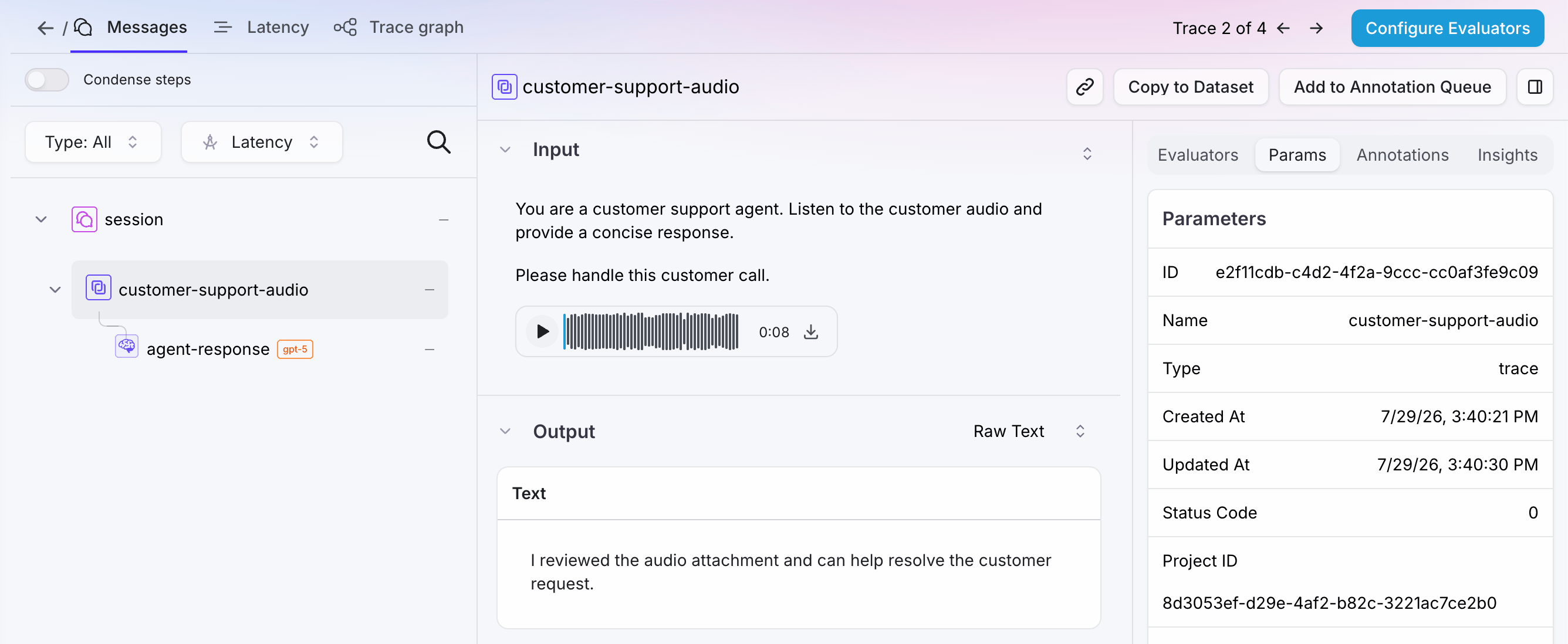
- Audio renders as an inline waveform player you can play back directly, with download support
- Images display inline and can be downloaded
- PDFs appear as inline previews and can be downloaded
Evaluate multimodal traces
Splunk Agent Observability provides out-of-the-box LLM-as-a-judge evaluators for multimodal content. You can also configure custom LLM-as-a-judge evaluators on any span, trace, or session that contains multimodal content.Out-of-the-box evaluators
Custom LLM-as-a-judge evaluators
- Go to Evaluators and create a new custom LLM evaluator.
- Configure a model integration. See suggested models below.
- Under capabilities, select Image/PDF or Audio.
- Enable the evaluator on your Agent Stream before logging content.
Evaluators compute only when the trace contains at least one attachment matching the enabled capability. An evaluator with Image/PDF enabled returns N/A if the trace contains only audio, or no attachments at all. Similarly, an evaluator with
Audio enabled returns N/A on image-only traces.
Supported formats and models
Supported formats
Suggested models
For best results, use GPT-5 or later (OpenAI) for image and PDF evaluation, and Gemini 3+ via Gemini Enterprise for audio. If using Gemini Enterprise, you will also need to configure a separate GCP bucket and credentials for file uploads. See how to set up Gemini Enterprise credentials.Known limitations
- LangChain handler stores the full message list. The trace’s input and output fields contain the full serialized message structure (e.g.,
[{"content": [...blocks...], "role": "user"}]), not bare content blocks. - Multimodal attachments are not supported via OpenTelemetry or native callbacks (e.g., Google ADK, CrewAI). Use SplunkAOLogger or the LangChain/LangGraph callback instead.
- Multimodal evaluators are not supported in playground or prompt experiments.
Next steps
SplunkAOLogger
Full reference for logging with SplunkAOLogger.
LangChain and LangGraph integration
Complete guide to the Splunk Agent Observability LangChain integration.