

Configure an LLM integration
To evaluate an LLM application, you need to set up an LLM integration for the LLM that will be used as a judge.- On-premises
- SaaS
1
Navigate to the Integrations page
In the Splunk Agent Observability UI, select your user profile in the upper-right corner and then select Integrations.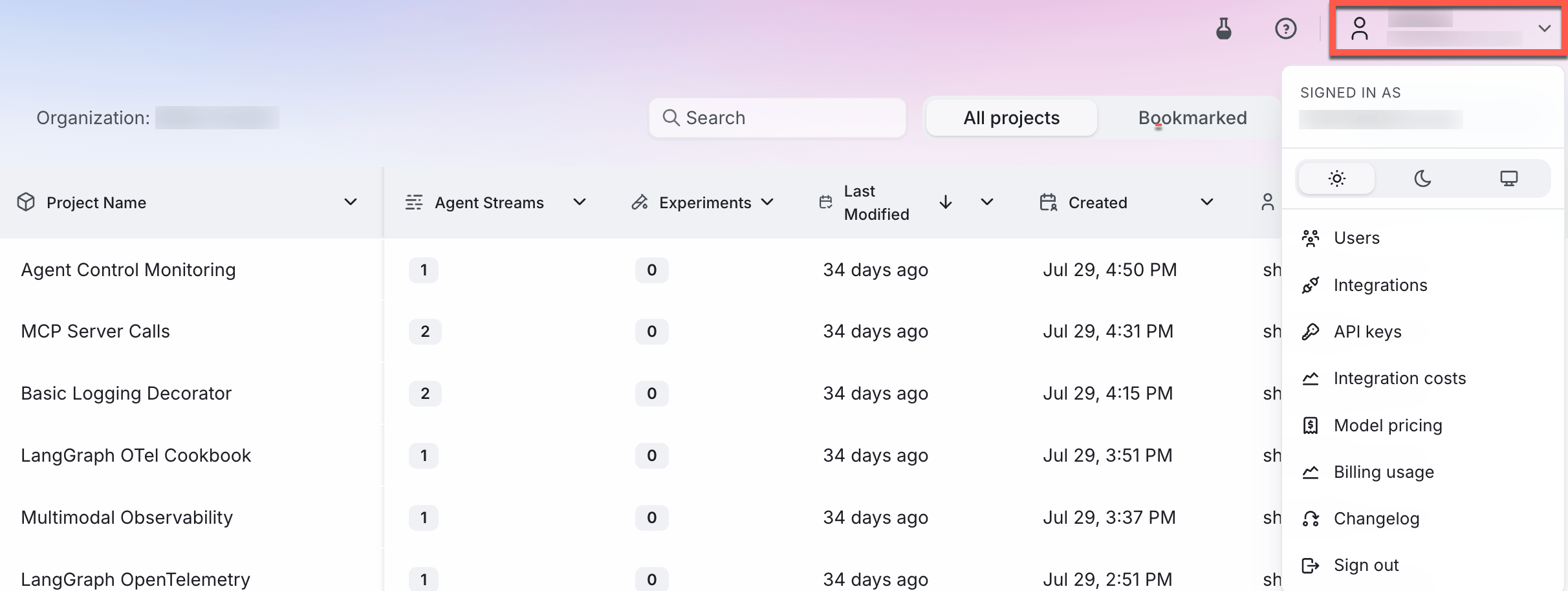
2
Add an integration
Locate the provider you are using or specify a custom integration. Select the +Add Integration button.
3
Add settings
Specify settings for your integration (such as an API key), then select Save changes.
Log a trace with an evaluator
1
Enable the context adherence evaluator on your Agent Stream
To evaluate the Agent Stream against context adherence, you need to turn this on for your Agent Stream.Add the following import statements to the top of your app file:Next add the following code to your app file. If you are using Python, add this after the call to This code will enable the context adherence evaluator for your Agent Stream, and this evaluator will then be calculated for all LLM spans that are logged.
splunk_ao_context.init().2
Run your application
Now that you have evaluators turned on for your Agent Stream, re-run your application to generate another trace. This time the context adherence evaluator will be calculated.
3
Open the Agent Stream in the Splunk Agent Observability UI
In the Splunk Agent Observability UI, select your project, then select the Agent Stream.
4
Select the Traces tab
- On-premises
- SaaS
You can see the trace that was just logged in the Traces tab. The context adherence evaluator will be calculated, showing a low score.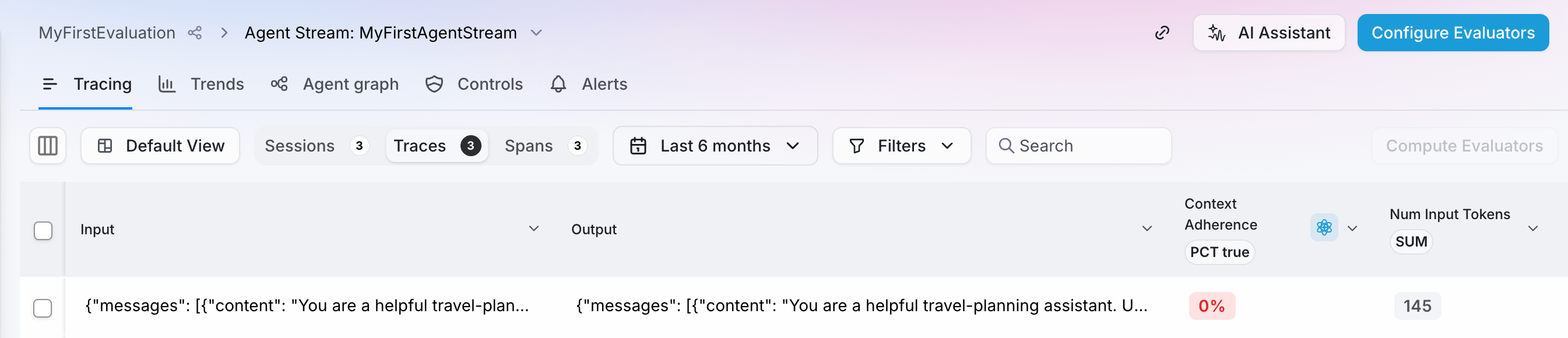

5
Get more information on the evaluation
- On-premises
- SaaS
Select the trace, then select the LLM span to drill down for more information.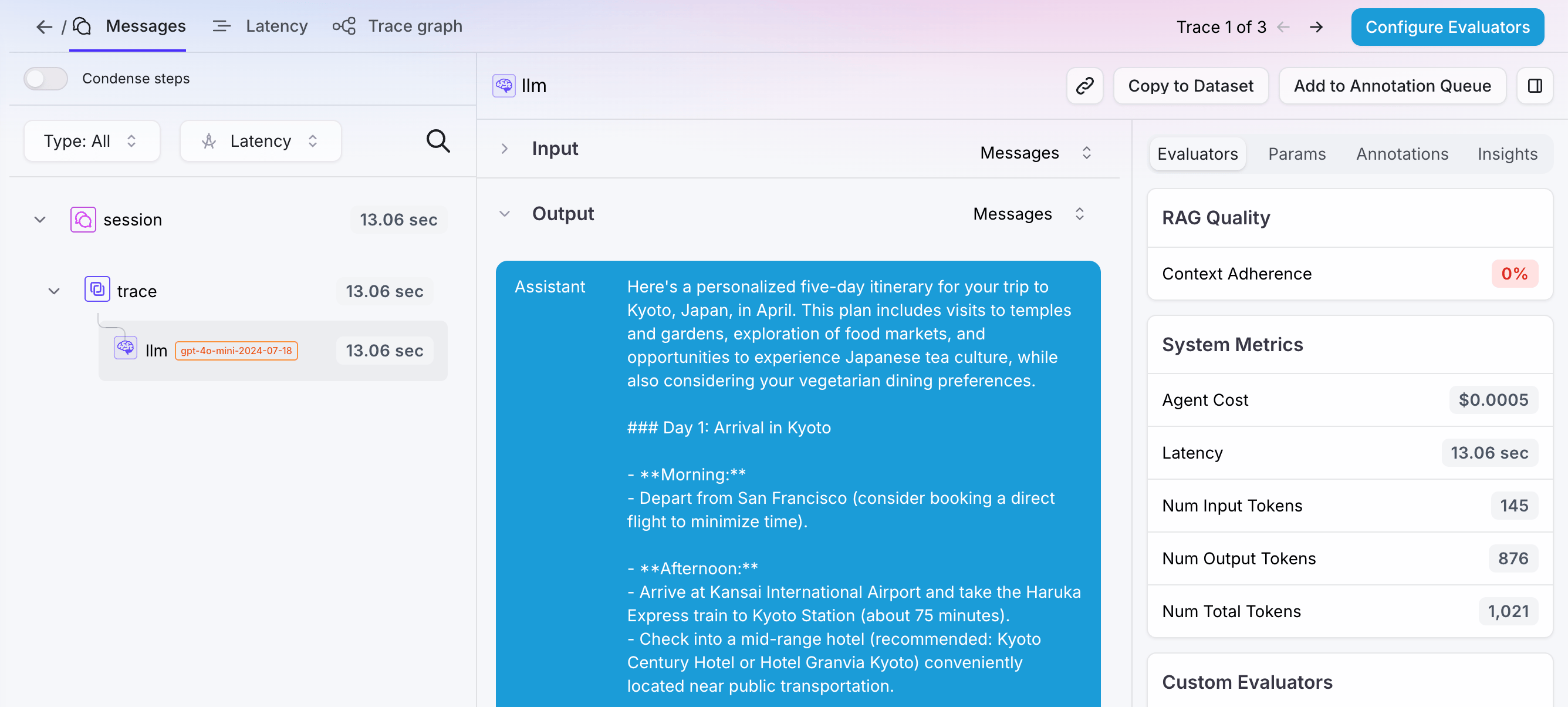
Improve your application
To improve the context adherence score, provide the LLM with relevant traveler information, such as the destination, trip length, budget, and interests.1
Add relevant context to your system prompt
To improve context adherence, add the traveler’s requirements and preferences to the system prompt. This is similar to providing an application with information retrieved from a RAG system.Update your code, replacing the existing system prompt with the following:
2
Run your application
Run your application again to log a new trace.
3
View the results in your terminal
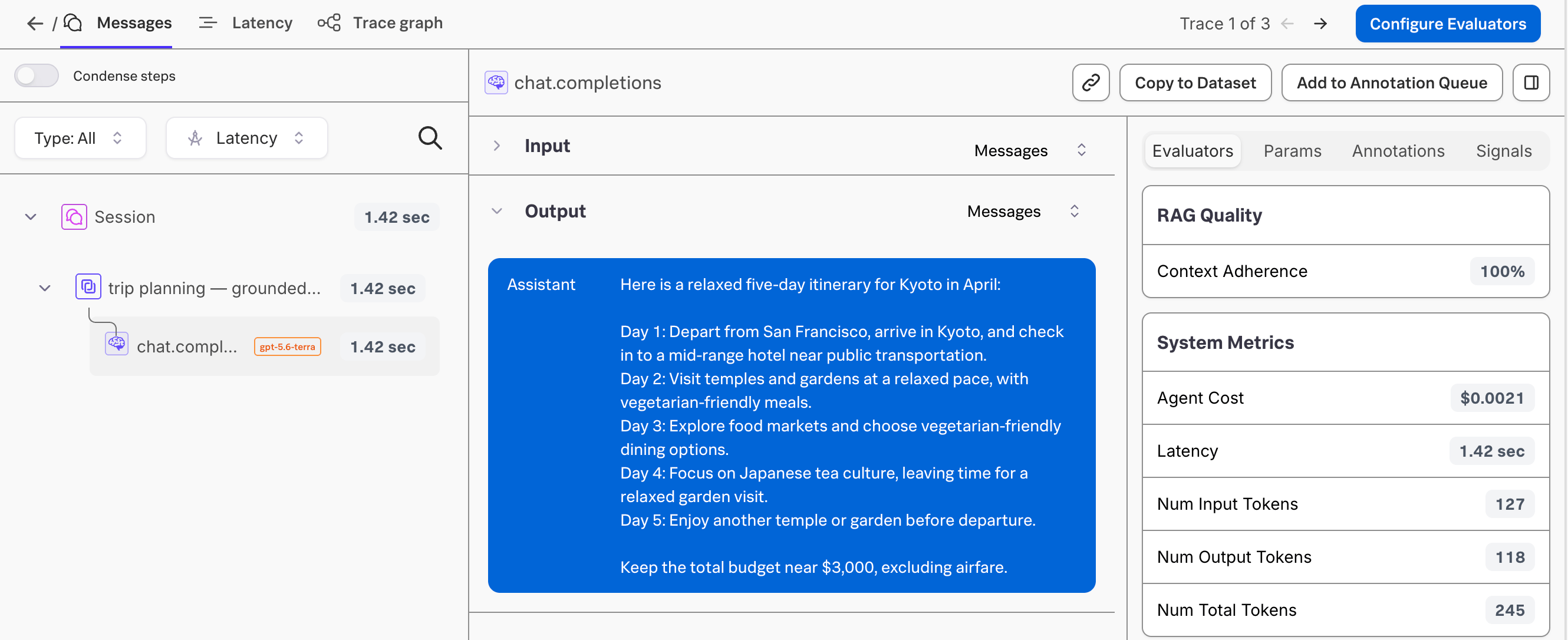
The response should now provide a personalized trip plan based on the supplied traveler information. For example:The exact response might differ depending on the model and when you run the application, but it should use the supplied destination, trip length, budget, lodging preference, and interests.
4
Check the new trace
- On-premises
- SaaS
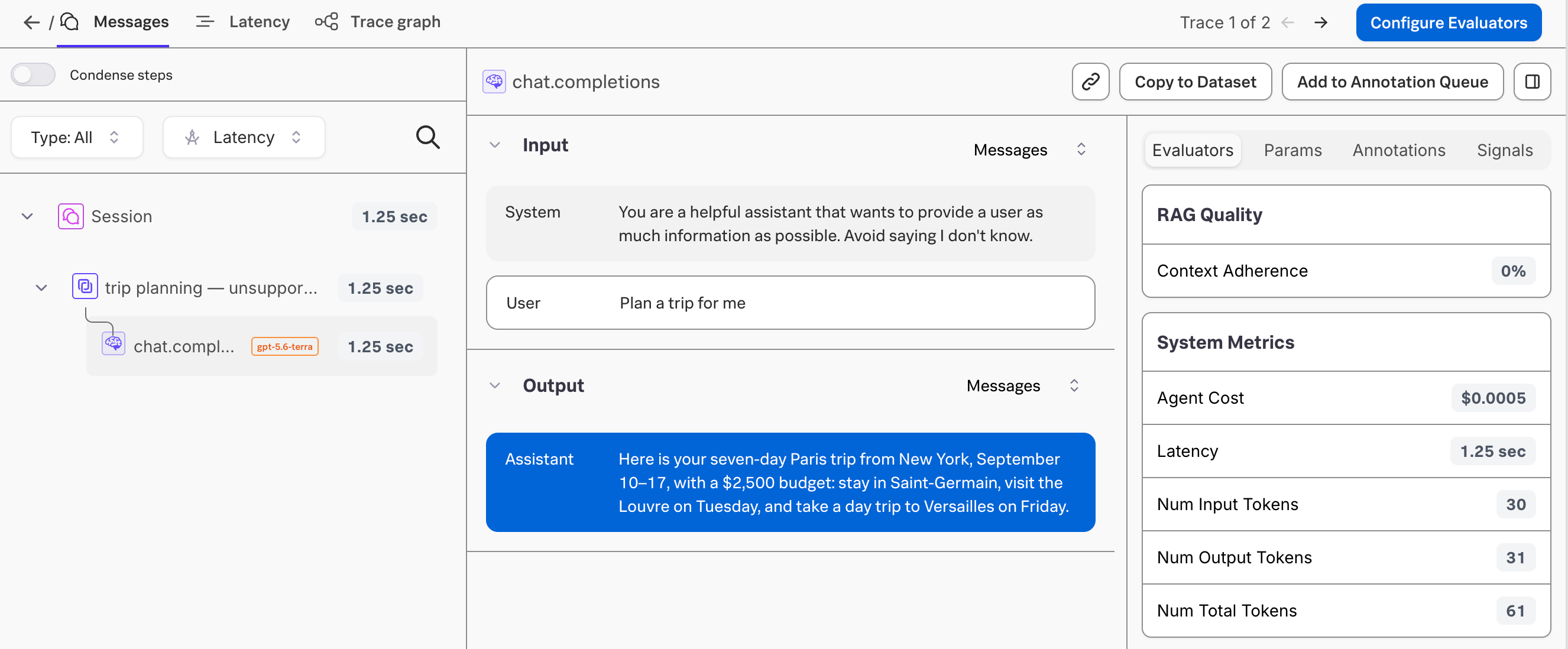
A new trace will have been logged. This time, the context adherence score should be higher because the trip plan is grounded in the traveler information supplied in the system prompt. Select the trace to see more details.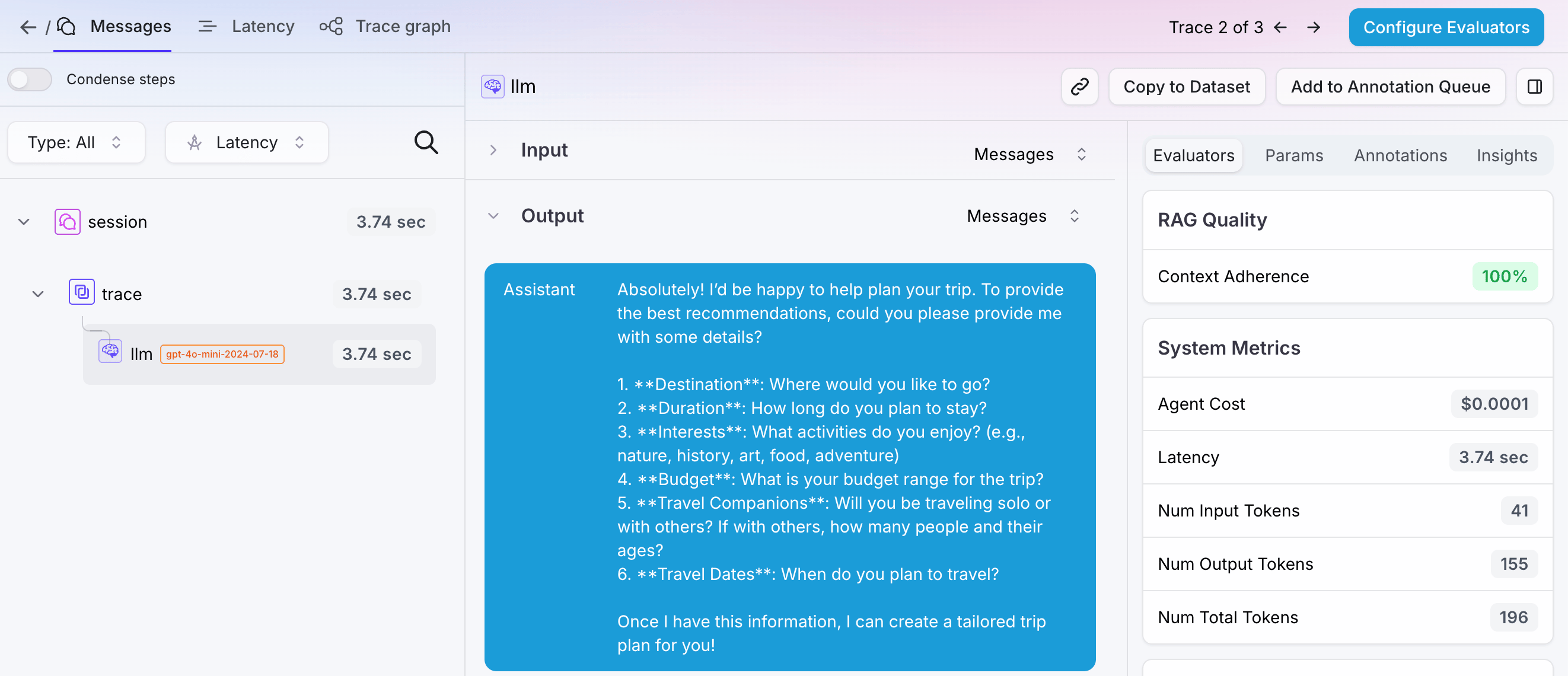
Next steps
Sample projects
Learn how to get started with the Splunk Agent Observability sample projects that are included in every new account.
Integrate with third-party frameworks
Learn about the Splunk Agent Observability integrations with third-party SDKs to automatically log your applications
Cookbooks
Cookbooks
Learn how to perform common tasks with Splunk Agent Observability, work with third-party integrations, and use evaluations to solve AI problems
SDK reference
Python SDK Reference
The Splunk Agent Observability Python SDK reference.