

Choose how to test
You’ll find all three on the Test Evaluator tab when creating or editing an evaluator.
Test with manual input
Provide an input and output and select Test. You’ll see the evaluator result, plus an explanation if step-by-step reasoning is turned on. Explanations aren’t provided for decision model evaluators.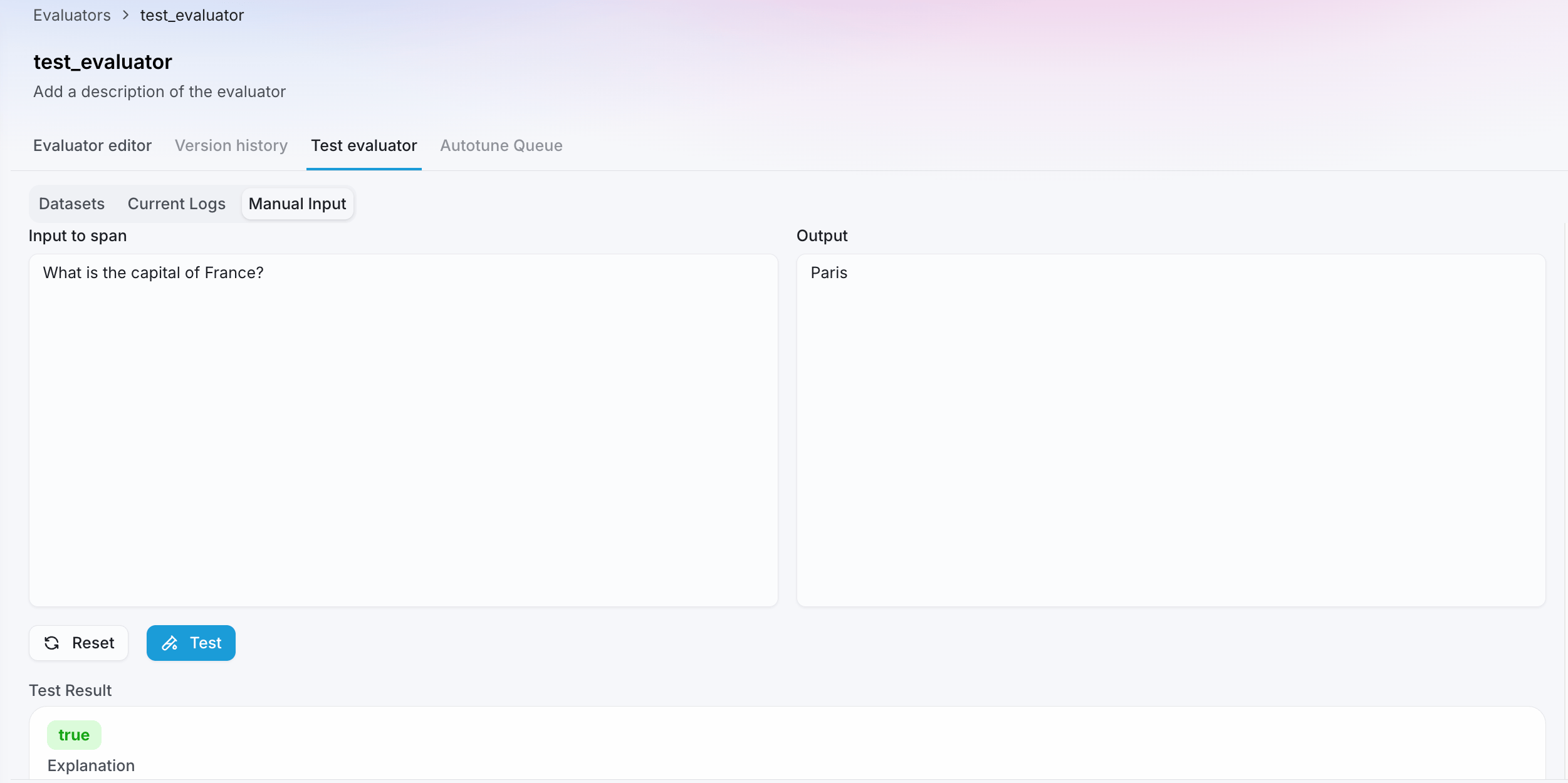
Test against current logs
Select the project, choose the source type, then pick an Agent Stream or Experiment. Select Test Evaluator to run the evaluator against your last 5 logged sessions, traces, or spans. Select any row to see the explanation. Explanations aren’t provided for decision model evaluators.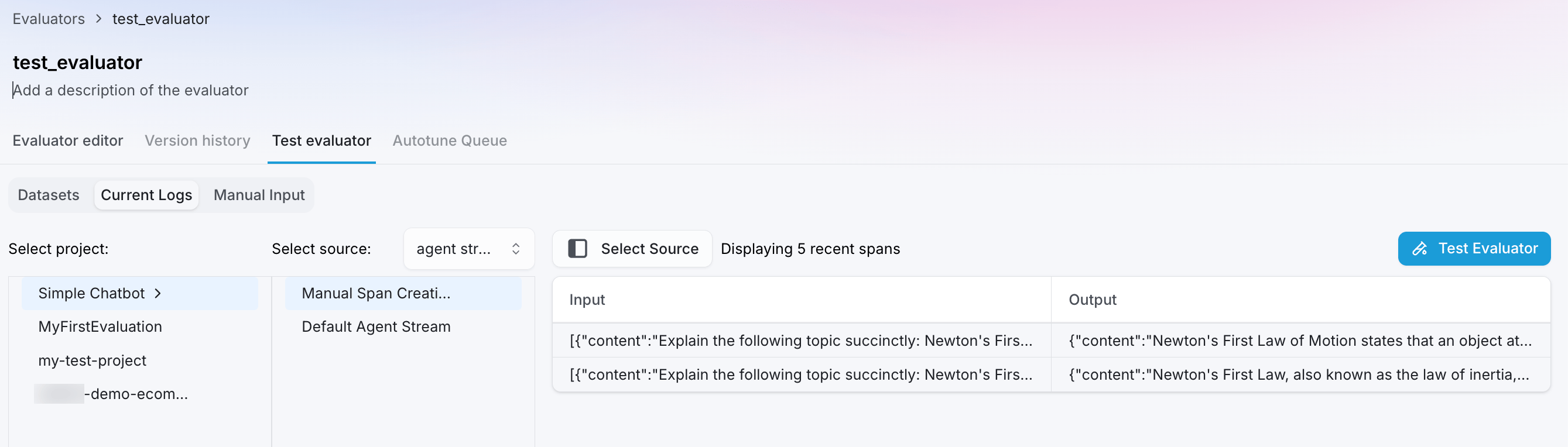
Test against a labeled dataset
Manual and log-based tests confirm an evaluator runs correctly. To know how much you can trust it, test it against a labeled dataset. Add a Evaluator Ground Truth column with the correct result for each row, and Splunk Agent Observability reports a single score for how well the evaluator’s output matches it: a macro F1 score for label-based evaluators, or RMSE (root mean square error) for number-based evaluators.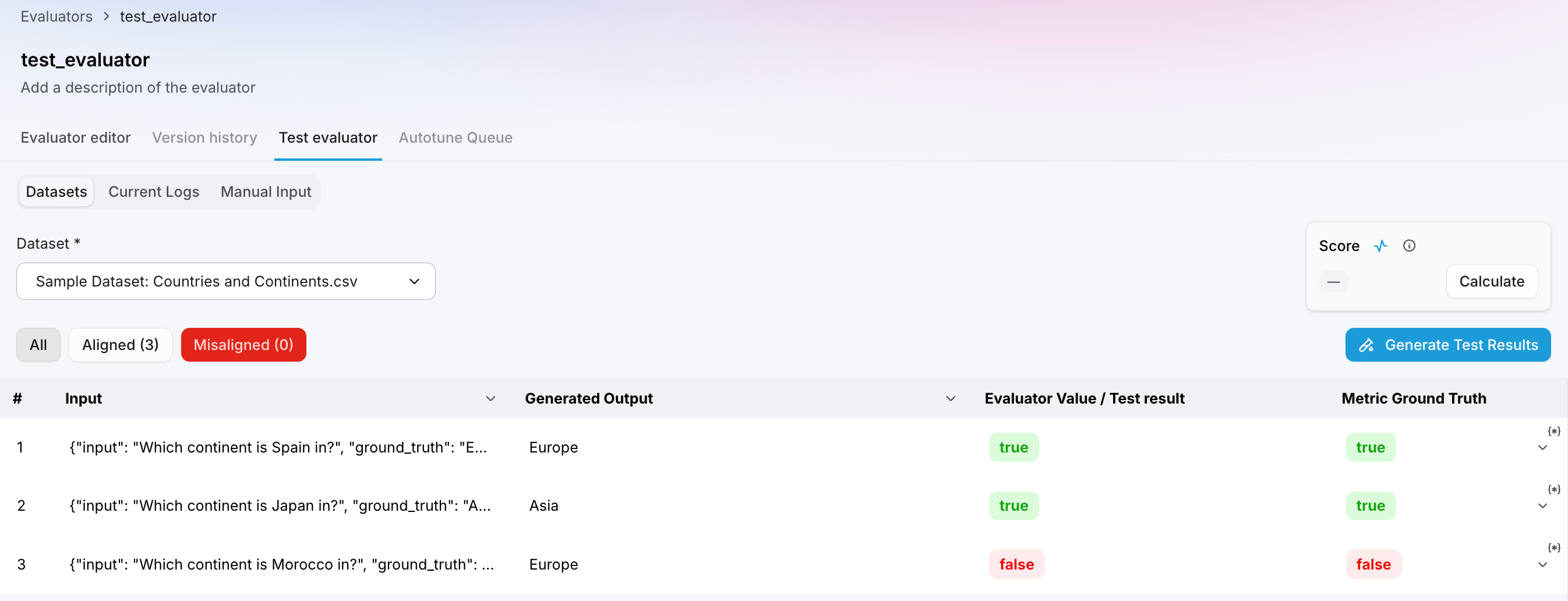
Dataset testing is available for evaluators that apply to a trace or LLM span, where you can provide Evaluator Ground Truth per row. Splunk Agent Observability does not support dataset testing for session-level evaluators.
Why test against a dataset
Testing against a labeled dataset does more than confirm an evaluator runs. It gives you a concrete score you can track and compare over time. The workflows below use the macro F1 score for label-based evaluators; for number-based evaluators, the same applies with RMSE.Confirm scoring intent
Test before you deploy. A high macro F1 score against a representative set of labeled examples tells you the evaluator will score consistently on similar data in production.
Set a baseline
Record the macro F1 score when you first create an evaluator. Run the same dataset test again after any change (prompt, model, or number of judges) to see whether it helped or hurt.
Measure real improvements
Running the same dataset test again after iterating on a prompt confirms the improvement is real, not just a shift on a handful of examples. With Autotune, test on held-out examples to confirm the F1 went up without overfitting.
Catch drift early
Run the same dataset test again after a model upgrade or API change. If the macro F1 score drops, you know the evaluator needs attention before it affects your evaluations.
Run a dataset test
1
Add a dataset
On the Test Evaluator tab, select Datasets, then choose an existing dataset or upload one with your inputs and outputs.
2
Add Evaluator Ground Truth
For each row, provide the expected result in the Evaluator Ground Truth column. This is the value the evaluator should return when it scores correctly. A single dataset can hold ground truth for several evaluators at once, stored separately and keyed by evaluator name, so you can reuse one dataset across your evaluator library.
3
Run the test
Run the evaluator across the dataset. Splunk Agent Observability scores every row and compares the output against your Evaluator Ground Truth.
4
Compute the score
Once the evaluator has run and Evaluator Ground Truth is in place for each row, select Compute Score. Splunk Agent Observability compares the evaluator’s output against the ground truth and reports a single aggregate score: a macro F1 score (0–1, higher is better) for boolean, categorical, or multi-label evaluators, or RMSE (lower is better) for count, discrete, or percentage evaluators. Use this score to decide whether the evaluator is ready to deploy or needs further iteration.
How scores are calculated
Splunk Agent Observability compares the evaluator’s output against the Evaluator Ground Truth for every labeled row, then reports a single score that fits the evaluator’s output type.Label-based evaluators: macro F1
For evaluators that return a label (boolean, categorical, or multi-label), Splunk Agent Observability reports a macro F1 score: a single number from 0 to 1 for how well the evaluator’s labels match your Evaluator Ground Truth. F1 combines two things:- Precision — how many of the rows the evaluator flagged were actually correct. False positives bring this down.
- Recall — how many of the rows that should have been flagged the evaluator actually caught. False negatives bring this down.
Number-based evaluators: RMSE
For evaluators that return a number (count, discrete, or percentage), a macro F1 score does not apply. Splunk Agent Observability reports RMSE (root mean square error): how far the evaluator’s values are from your Evaluator Ground Truth on average. Lower is better, and 0 means an exact match.Score by output type
Related resources
Improve evaluators with Autotune
Turn feedback into prompt improvements, then test again to confirm the gain.
Custom LLM-as-a-Judge Evaluators
Create the evaluators you’ll test and validate.
Custom Code-Based Evaluators
Create and test code-based evaluators the same way.
Ground Truth Adherence
The output-level analog of the Evaluator Ground Truth column.